Draw a diagram of your preferred workflow and explain why you take certain steps
Create a checklist for your workflow
Take a screenshot of your folder structure
Explain why creating backups are so important
Complete the Exercise Files from Photoshop 2021 Essential Training: The Basics by Julianne Kost
DIAGRAM
CHECKLIST
Set up the camera (format, white balance, ISO, mode…)
Delete bad shots after the photoshoot
Import photos to computer
Second back-up to external hard drive if necessary
Organise photos in folders
Review and pick best shots
Import to Lightroom and enhance photos
Save as JPEG (web) or TIFF/PDF (print)
Export photos to an external hard drive
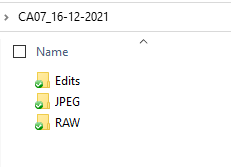
FOLDER STRUCTURE
My folder structure looks like this. I create a folder with the name of the photoshoot (in this case CA07, as it was for that assignment) followed by the date it took place, so I know right away when the pictures were taken. Inside that, I separate my photos per format and put them in a different subfolder. The edited photographs are exported to the Edits folder.
BACK-UPS
Backing up your photos is vital since digital data can be lost quite easily due to loss/theft of a camera, accidentally deleting images, corruption of cards, etc. It will prevent you from losing hours of hard work and, save you from the situation to have to tell your client that you have lost everything, especially if it is a one-time event such as a wedding. You should back your photographs up as soon as possible in at least 2 different locations.
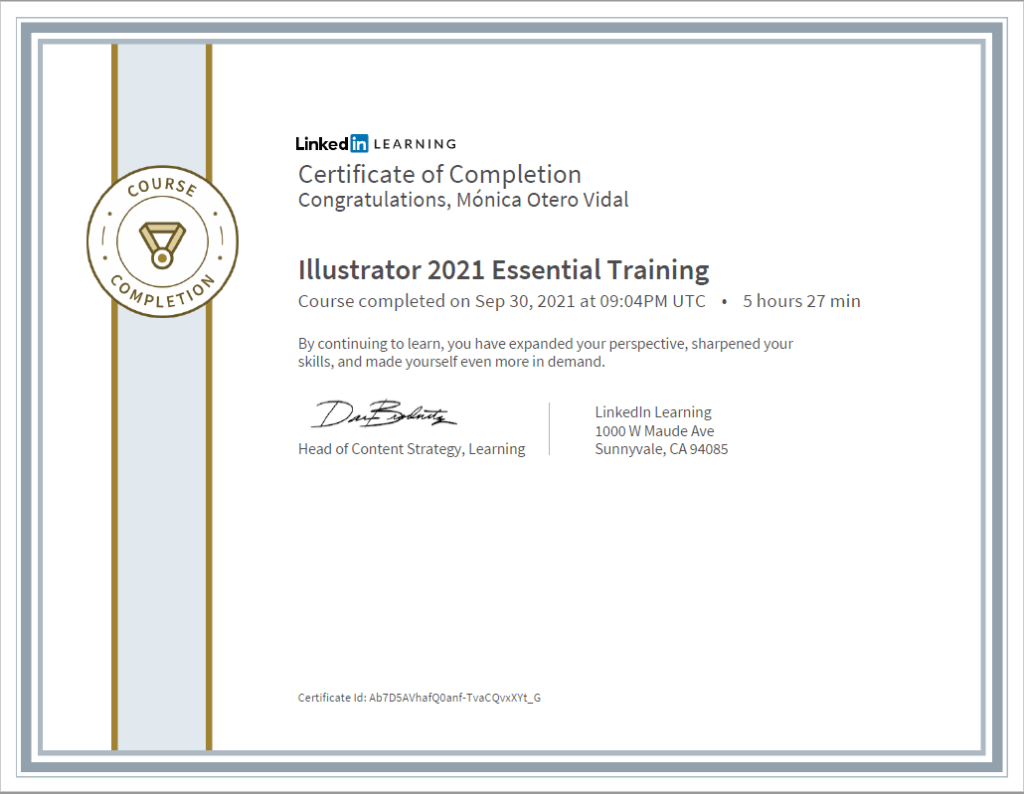
Photoshop 2021 Essential Training: The Basics
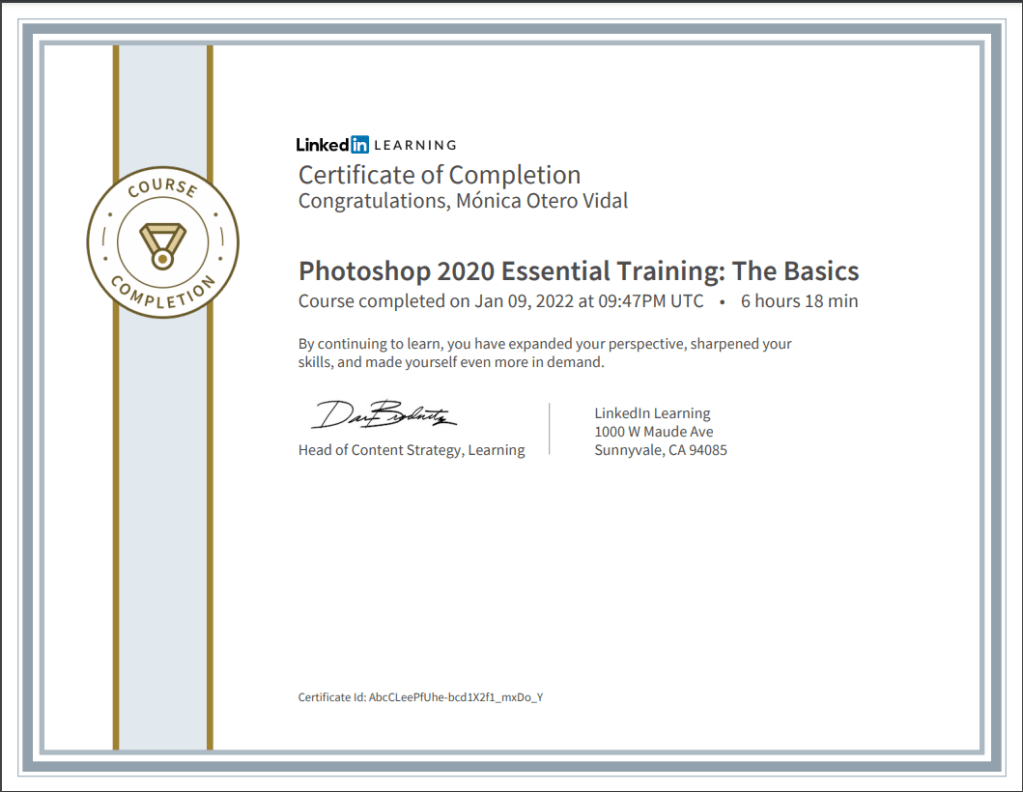
I had completed most of the 2020 version of the same tutorial during GRA1, so I rewatched what I felt needed refreshing and finished the unwatched videos. I compared the contents of both tutorials and they are almost identical. Here is the Certificate of Completion.
In your own words, describe the procedure of planning a fashion shoot. You don’t need to go into too much detail, a short outline will do.
The first thing to consider is the concept or theme of the photoshoot. This will affect all your other choices such as make-up, styling and location. The next step is to create one or multiple mood boards to collect your ideas and inspiration. Mood boards also help the client and the rest of the team to understand the concept you have in mind for the session. Then you create a storyboard: a few rough sketches showing the angle and the length that you will be shooting at. A storyboard is a critical tool for communicating your vision to the other members of your team. If you are going to shoot in a studio, you need to book it. If you are shooting outdoors, you need to find a location, take a few test shots and find interesting lines and textures that will enhance your pictures. Apply for permissions if necessary. A shortlist is a list that organises your day and helps you not to forget important details, and determines the equipment you will need on the day. Then, you need to choose a model who suits the brand and concept. Appoint a stylist, a hair and make-up artist.
What are the stylist’s duties?
A stylist will find suitable clothing and accessories, make sure that all the costumes arrive at the shoot on time and that everything fits and co-ordinate costume changes.
List your duties as photographer
One of the photographer’s duties is to book a studio and equipment if required and get the necessary permissions. Book the model and the crew: the make-up artist, hairstylist and your assistant. Provide food and water for the day, so hire a catering company for big shoots or send the assistant to buy some snacks if it’s a low-budget shoot. Music can sometimes help set the mood, so it’s a good idea to bring speakers to connect to your computer. Work out a detailed shoot day schedule and send it to the team in advance. The photographer must be able to direct the model to get the best look or pose. Finally, keep the crew informed of the schedule and gently push them to finish their tasks on time. It’s the photographer’s responsibility to keep the shoot progressing in an orderly manner.
What equipment would you take along on the Alice in Wonderland shoot that was featured in this module?
Wide angle, macro and 50 mm lenses Camera body Memory cards Battery chargers Extra battery Extra camera Light set Diffuse boxes Flash Reflector
Find an editorial fashion spread in a fashion magazine. Explain what you think the concept was, what equipment they used and how the location affected the concept. Scan or photograph the shoot and hand it in along with your answer.
This is a spread I found on the Internet. The concept is elegant, sensual and glamourous. The B&W photo, the model pose, her air-brushed skin and flawless make-up, and the big jewellery add to the theme. The photo seems to be taken indoors, although it is not clear where, it could be in a studio. The shot shows the model leaning against the wall. Her face and body are lightened (possibly using a soft box) while her dark hair blends with the black background.
Question 2 – Practical assignment
Watch the tutorial on LinkedIn Learning Douglas Kirkland on Photography: Editorial Assignment
Plan a Snow White themed fashion shoot
Create a mood board for hair, make-up and fashion
Create a storyboard
Create a shot list
Create a timeline for the shoot day
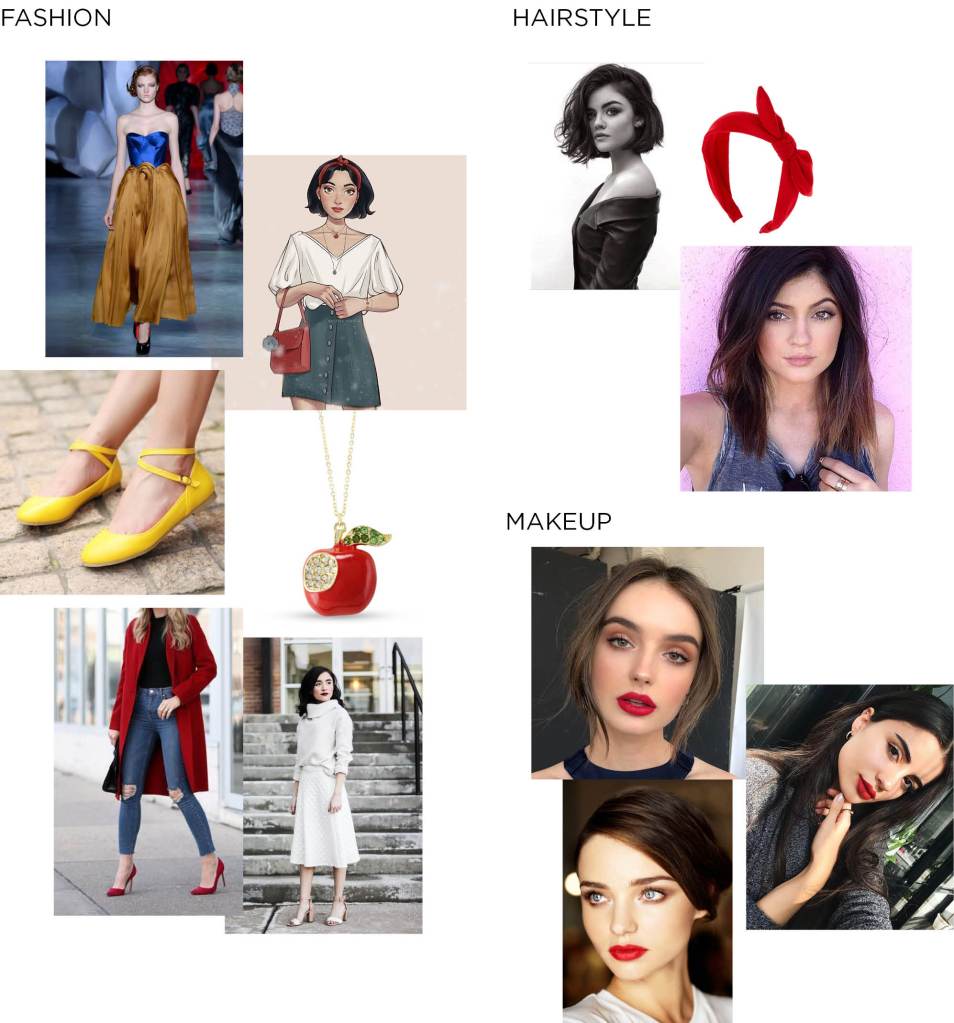
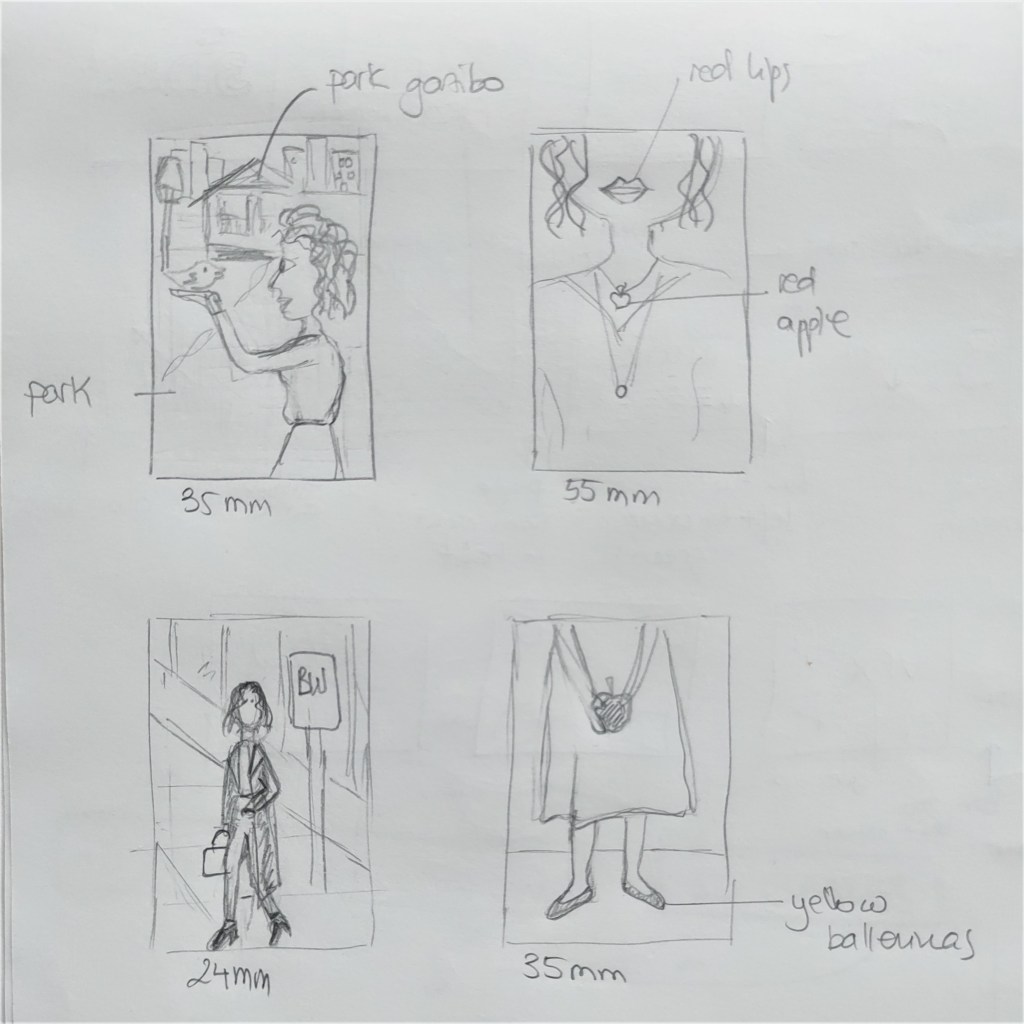
The concept for this photoshoot is a modern, urban Snow White. I searched for ideas online and created the mood board below, where I collected inspiration and examples on fashion, hairstyle and makeup. After that, I sketched a storyboard with four different photo ideas and made a shotlist and timeline. If this were an actual shoot, I would also book the model and the rest of the crew. I’d ask for permission to shoot to the Stavanger municipality and rent the equipment necessary for the session that I don’t own. I’d send the timeline to the crew and make sure everything is ready for the shoot day.
Work through my sunrise example step-by-step. Upload your version of this project to your WordPress blog. Please note, you will make a better impression if you make this animation your own. Don’t be scared to take things a little further and experiment.
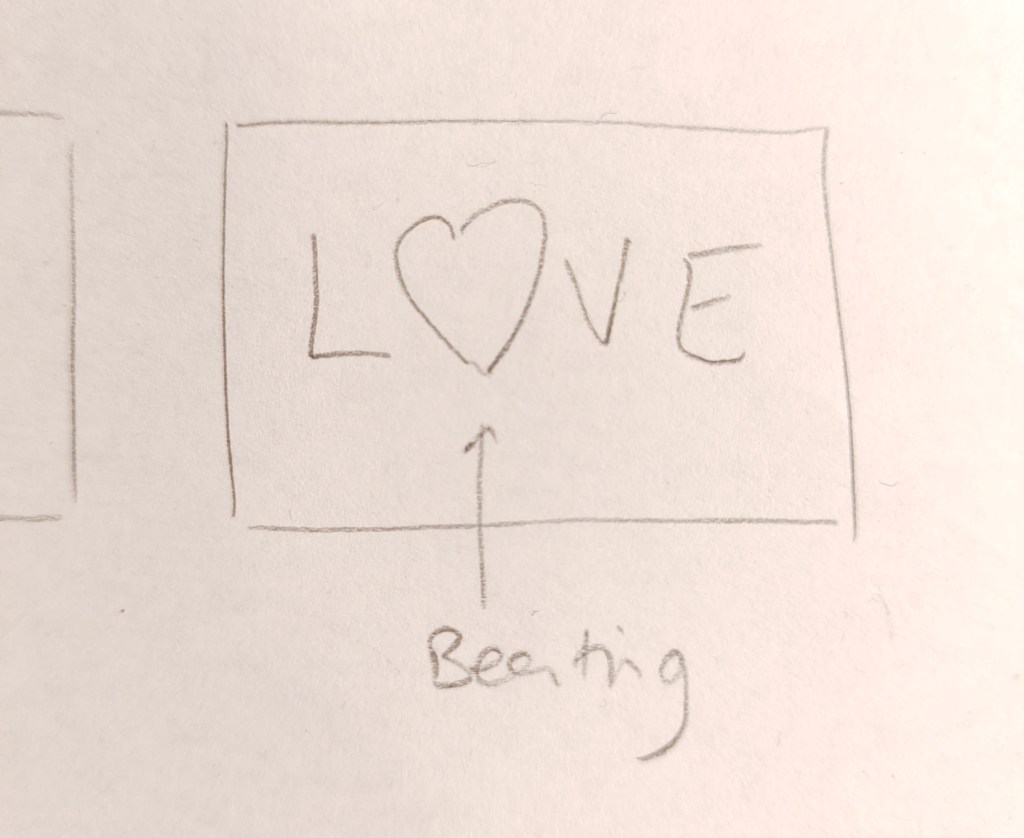
Now you need to come up with a unique animation concept of your own. Create a storyboard for this concept. (Make sure that your idea is not too complicated, but don’t limit yourself by making it overly simple.) Scan your sketches in and upload it to your WordPress blog.
The next step is to create the file and folder structure. Please take a screenshot of your folder structure and hand it in along with your project.
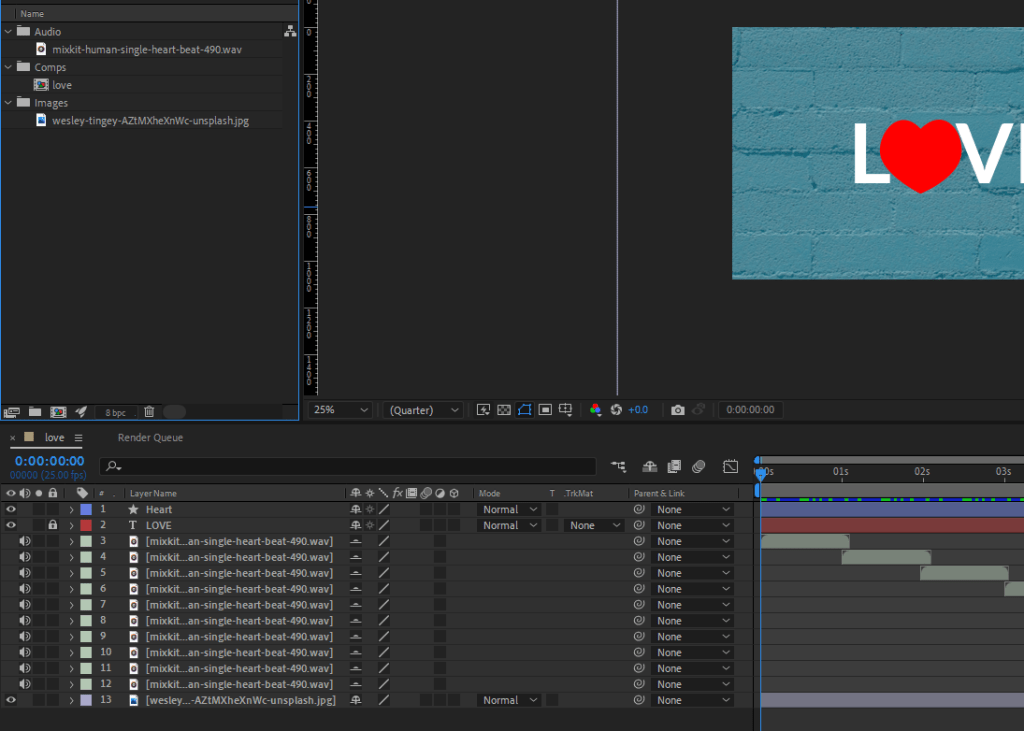
Create your animation in After Effects. Upload your project file and your rendered animation to your WordPress blog.
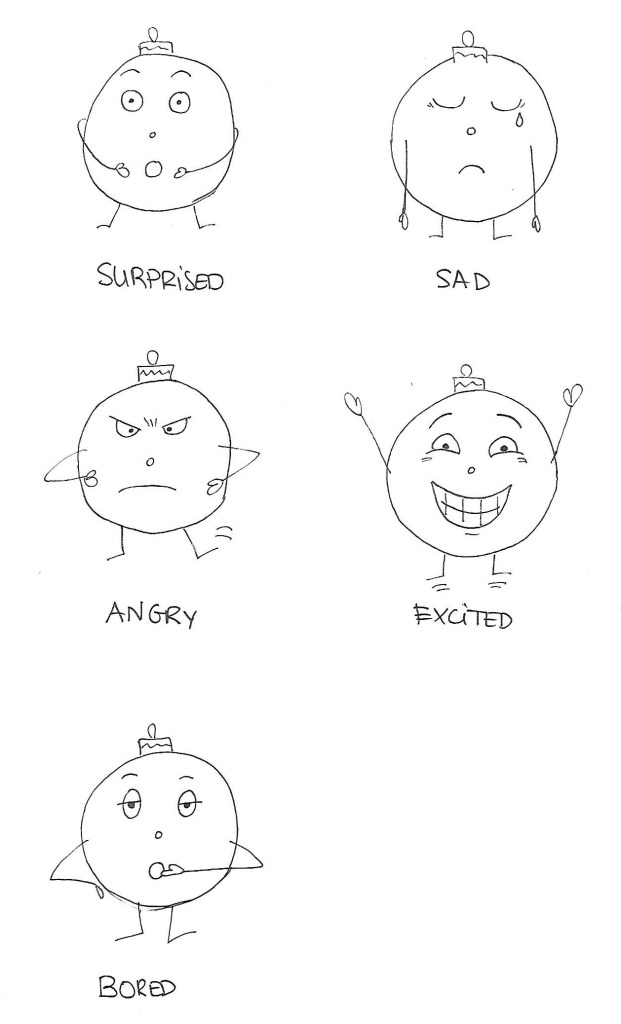
Create a character. This character can be a letter, a person, an animal or any type of illustration, use your imagination. This character will play the main role in your animation.
Take this character and draw it in five different exaggerated poses. In each of these poses, the character has to express some kind of emotion (like love, anger, dislike, distaste, happiness and so on). Keep the animation principles in mind when you draw your character.
Have a look at all the tasks and lessons you have done over the last few weeks. Your task now is to make a cover (a front page) for your very own magazine.
Go through the Graphic Design history timeline and choose a style and designer that you feel relates best to your personality.
Using that designer/style as inspiration, use your name or part of your name and create a title/name for your magazine. Feel free to be creative!
Add your own pictures, text, illustrations, elements as well as the proper typography and titles for your cover.
The expression must represent your personality (remember the color choice regarding this).
Remember to include what kind of magazine it is, for example cars/bikes, fashion, design, weddings, etc.
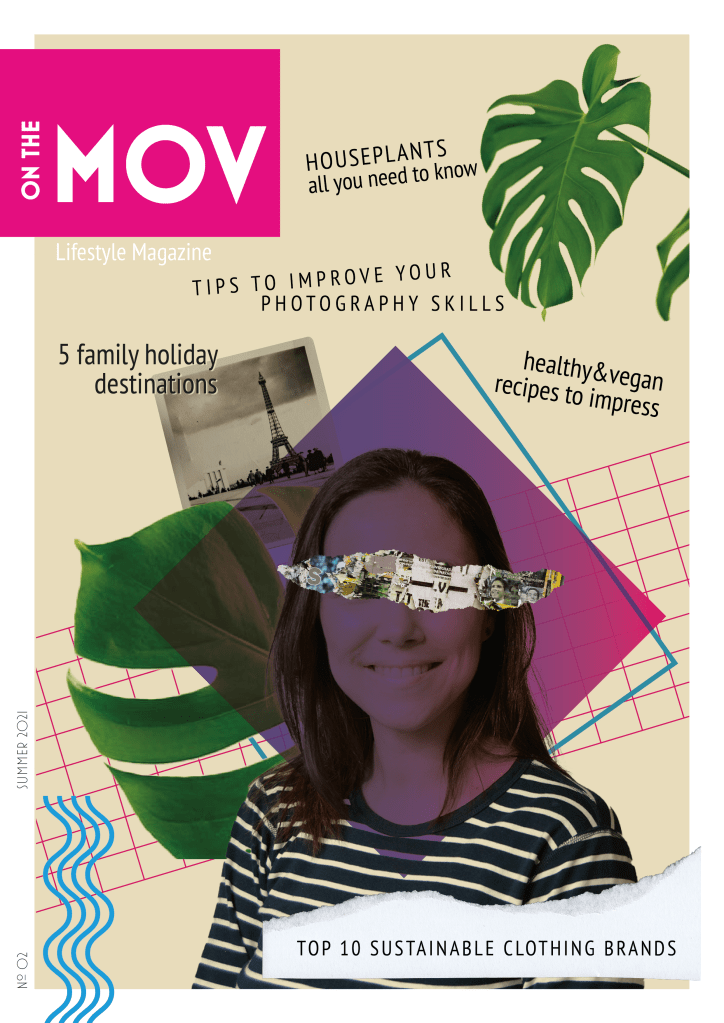
This magazine cover is inspired by the New Wave movement. New Wave designers rejected the order and cleanliness of the Swiss grid-locked design and typography, experimented and broke the rules. I find it fascinating how different elements with apparently nothing in common can work together to form exciting and beautiful compositions. I recently came across Carly Guppy’s work. She creates collage art and mixed media pieces inspired by vintage photographs, found papers and patterns, plants and animals. Her art was an inspiration for this task too.
I initially named the magazine “On the Move”, but my teacher suggested dropping the E, as this more ‘rebellious’ spelling is in line with the style, and people would still be able to read it. MOV are my initials (Mónica Otero Vidal).
The main picture is a self-portrait I took last semester with the use of a tripod and timer. I integrated it in the collage, with other stock images and graphic elements using illustrator. Blue, purple and green are my favourite colours, that is what I chose them. Both the photos and the articles describe me in a way, as I love plants, healthy and plant-based eating, photography and enjoying time with my family.
Question 2
Post your final design on the forum (Lessons and Activities forum) for comments from your tutor. Remember to include what your inspiration was (designer/style from the Graphic Design timeline). Discuss the results with your fellow students (your group) on the forum.
Explain shortly how you perceive your group members through their covers.
Do they see your personality through your cover, too?
Make a short comment if you feel they’ve nailed it!
I posted my cover in the forum and got feedback and guidance from my tutor, which helped me refine the design.
There are not many students in my group, so I also checked the covers in other groups. It was fun to see the different approaches for the same assignment.
Find examples on the Internet to represent each of those terms
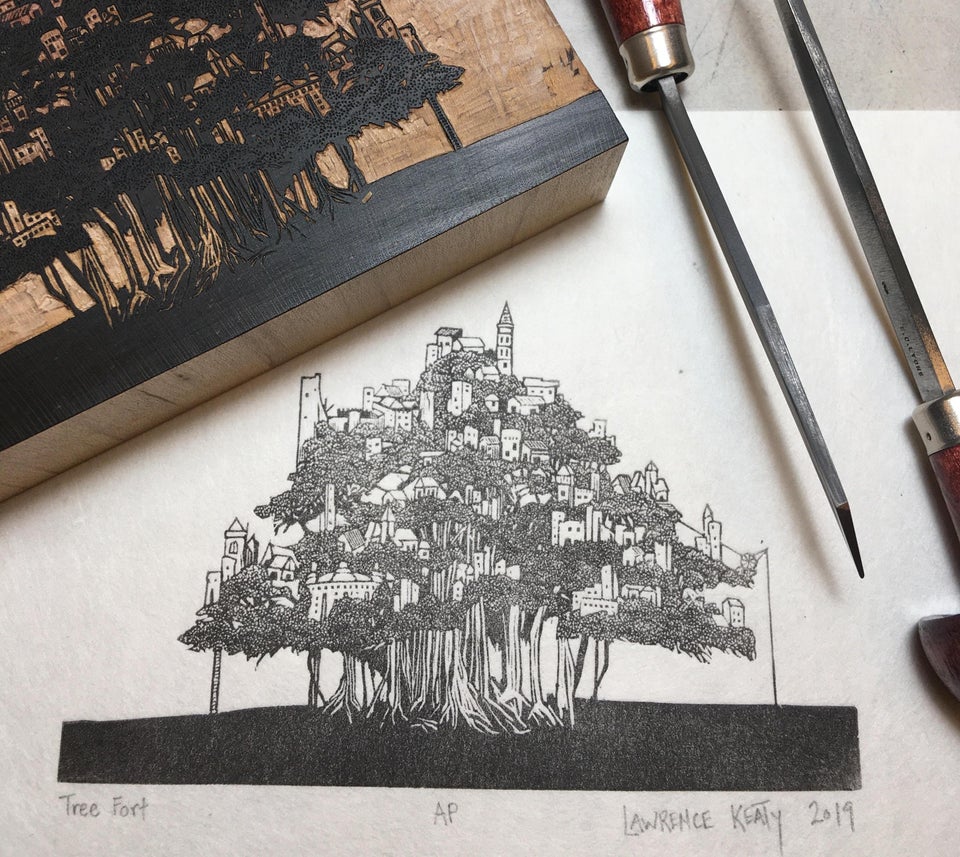
Wood engraving A reversed design or picture is carved out of a block of wood. Then, the block is rolled up with ink (on its top surface) and printed onto paper.
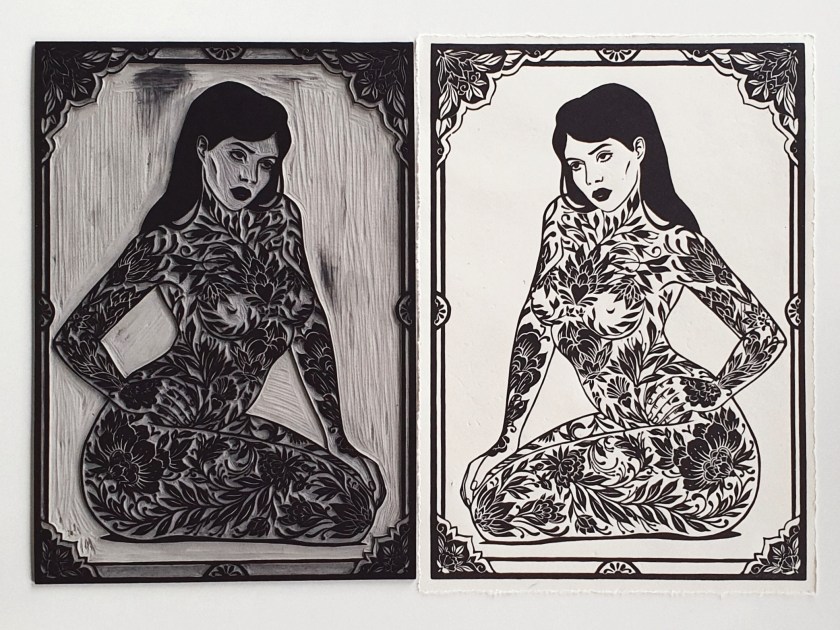
Linocut Similar technique as wood engraving, but the image is carved out of a linoleum surface. The linoleum sheet is inked with a roller, and then impressed onto paper or fabric. The actual printing can be done by hand or with a printing press.
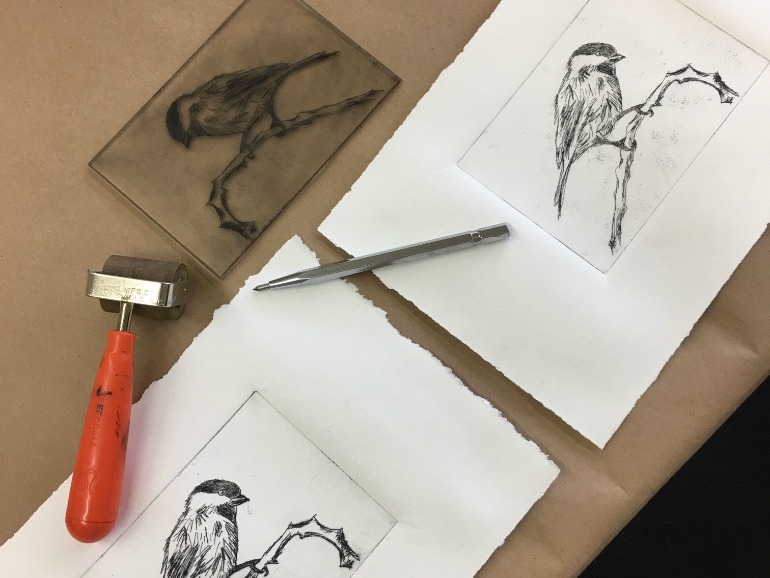
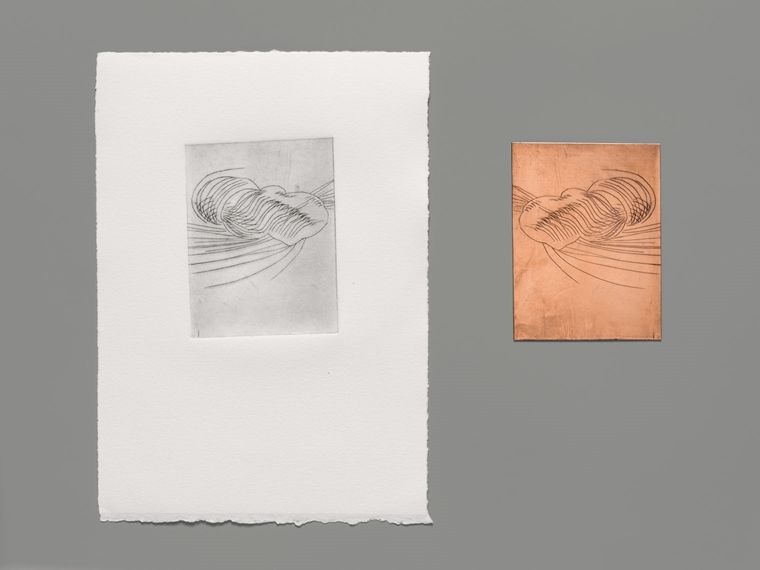
Drypoint In this technique, a picture is drawn by scratching a piece of metal. Then, the surface is inked, wiped and printed onto damp paper using a printing press.
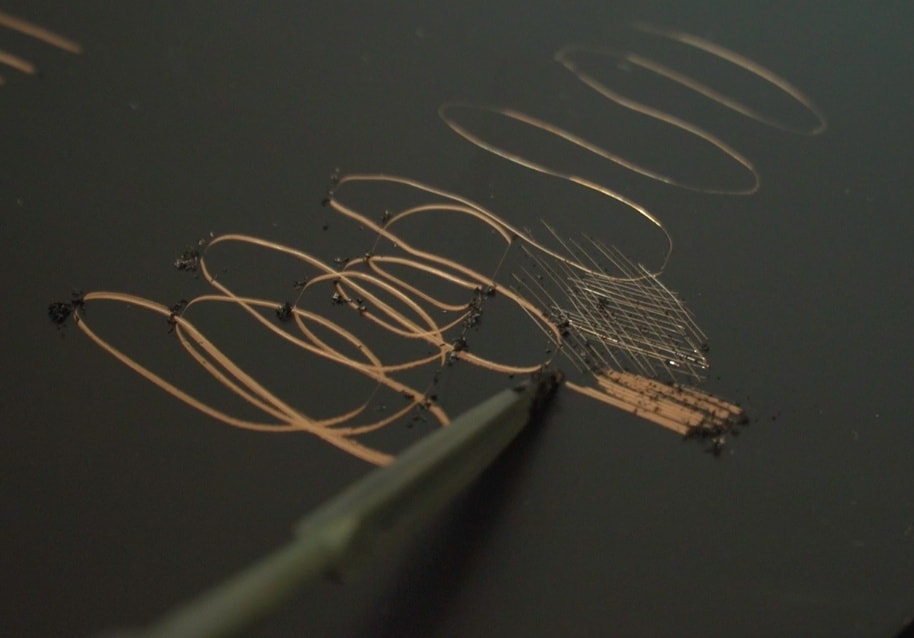
Etching A metal plate is covered with wax, some of it is scratched to draw a picture or design. Then, the plate is placed in a mordant bath that will eat the exposed metal. Once removed from the bath and cleaned, the plate is inked, wiped and printed onto damped paper with a printing press.
Engraving The process for this technique is similar to Drypoint, but in this case, the carving is executed with a V-shaped burin which produces smoother hard-edged marks.
Lithography This technique is based in the principle that oil and water don’t mix. The image is drawn to the surface with a greasy material. The oil-based ink will adhere to the greased areas and not the others, which are wet. Then the image is transferred to the paper sheet.
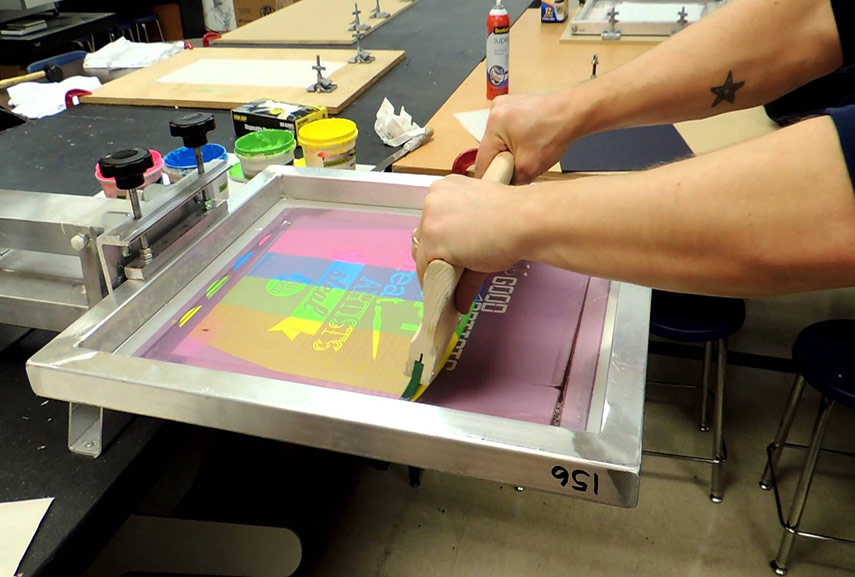
Screen-printing A mesh is used to transfer ink onto the paper, except in areas made impermeable to the ink by a blocking stencil.
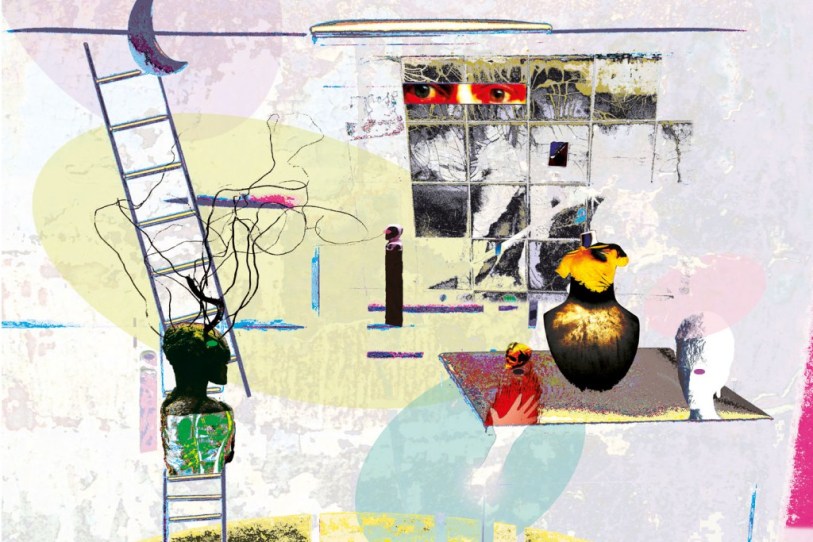
Monoprinting A monoprint is a single impression of an image made from a reprintable block. Ink is painted into the surface and printed off without the use of a print.
Digital printing It is a method of printing from a digital-based image directly to a variety of media.
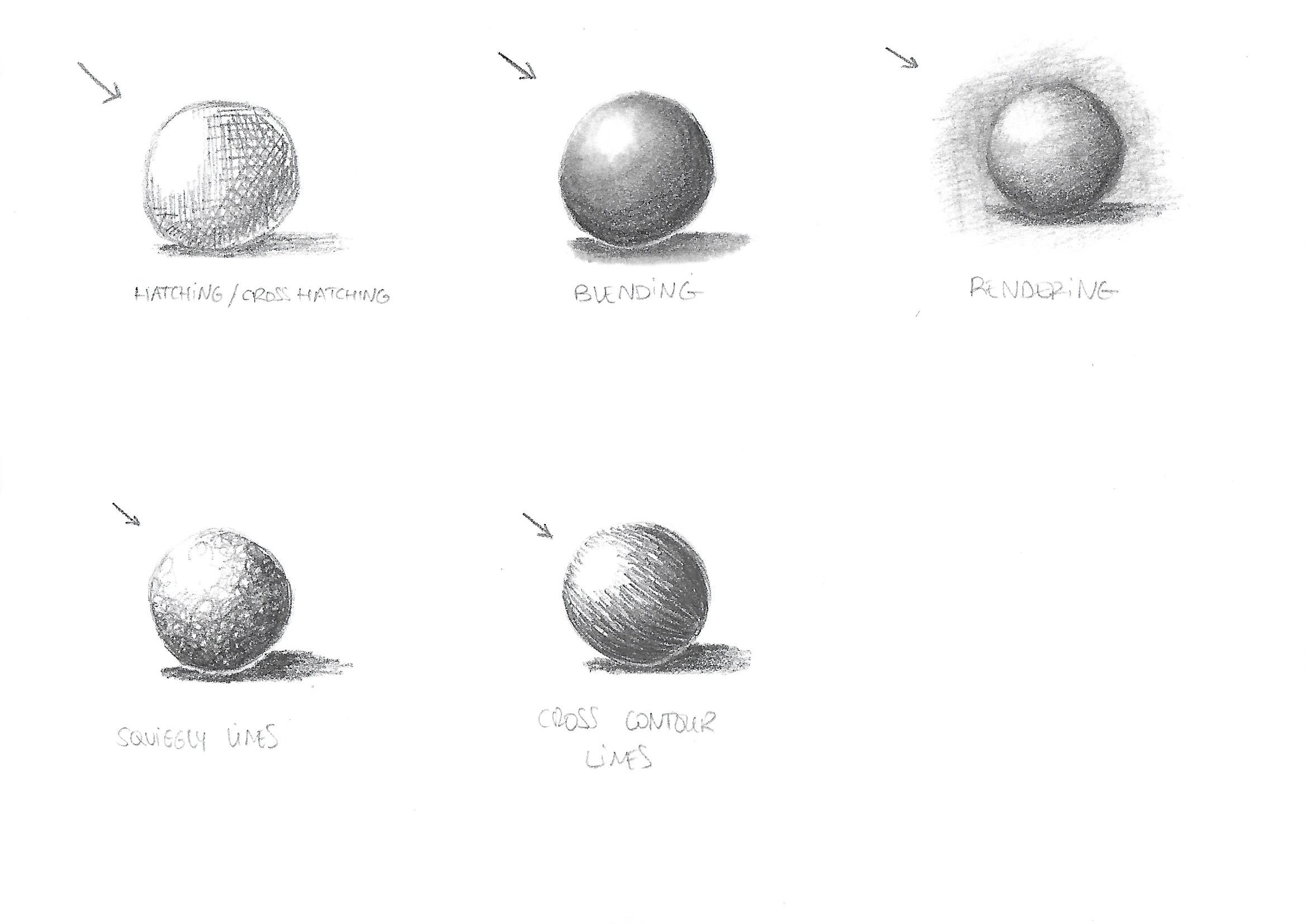
Use your graphite, eraser, eraser putty and blending stub to sketch spheres using the following techniques: hatching and cross hatching, blending, rendering, squiggly lines and cross contour lines.
Watch the prescribed Adobe Illustrator video on LinkedIn and complete the exercise files
Find a poem that inspires you. Follow the exercise in the lesson above and illustrate your poem.
I chose a poem by Rupi Kaur:
stay strong through your pain
grow flowers from it
you have helped me
grow flowers out of mine so
bloom beautifully
dangerously
loudly
bloom softly
however you need
just bloom
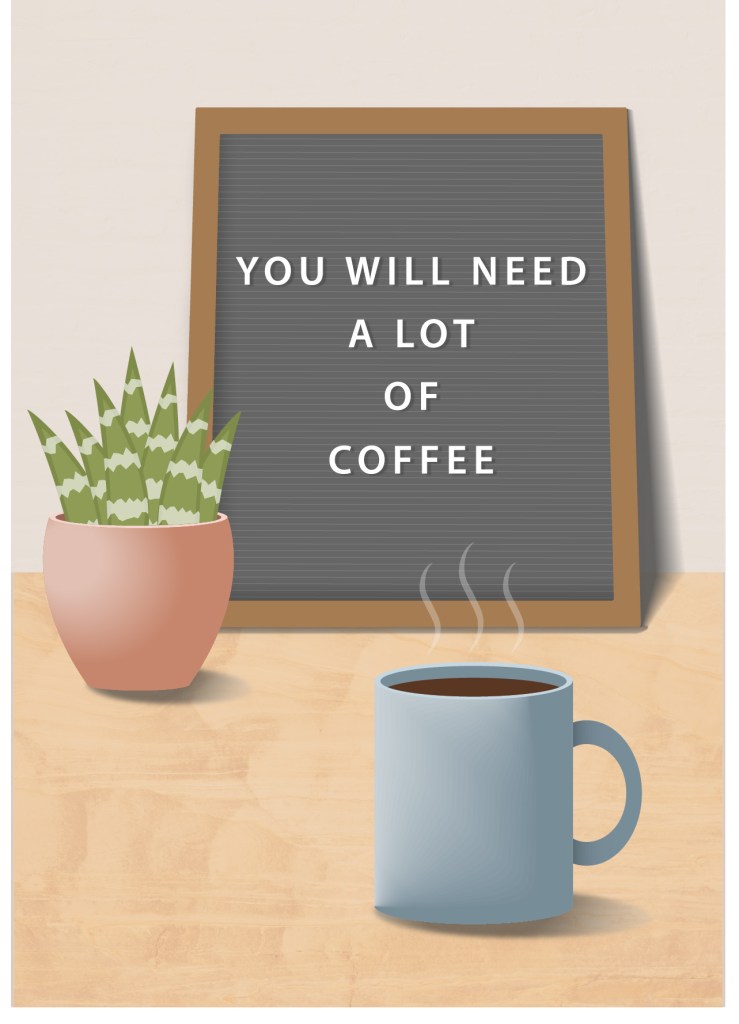
Design two postcards. Each with one piece of advice that you would give a first year Graphic Design Student. You are welcome to make more if inspiration strikes. All graphics and text must be your own.
This week I experimented with low light and slow shutter speed. I had to take photographs in the following scenarios:
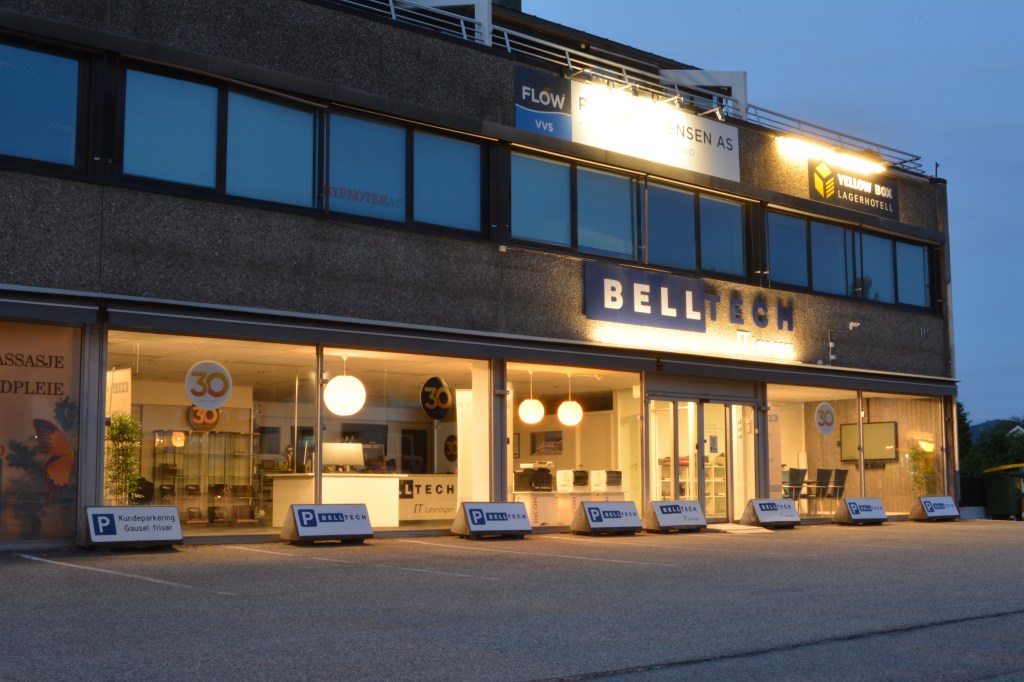
1 – Wait until it’s almost dark outside. Take your camera and go and sit in a busy tourist area. Choose a building or statue to photograph. Place your camera on a tripod and set the shutter speed to 30 seconds or more (if you don’t have a tripod, something stable, like a chair, will also work. If you don’t live close to a busy street, just get one or two people (or even your dog) to move up and down past the camera during the 30 seconds). Take a look at your photograph. Do you see a lot of people in it or just the building/statue?
ISO 100 30 mm f/29 30 sec
It doesn’t really get dark in June where I live so I had to take this picture at midnight. There were not many people out at that time so I chose a building in my neighbourhood, put the camera on a tripod, set the shutter speed to 30 seconds and walked in front of the camera several times. No image of myself walking around was captured, only the building. I thought a moving person would at leaset leave a trail, but the picture turned out completely clean. Good to know for future night shots!
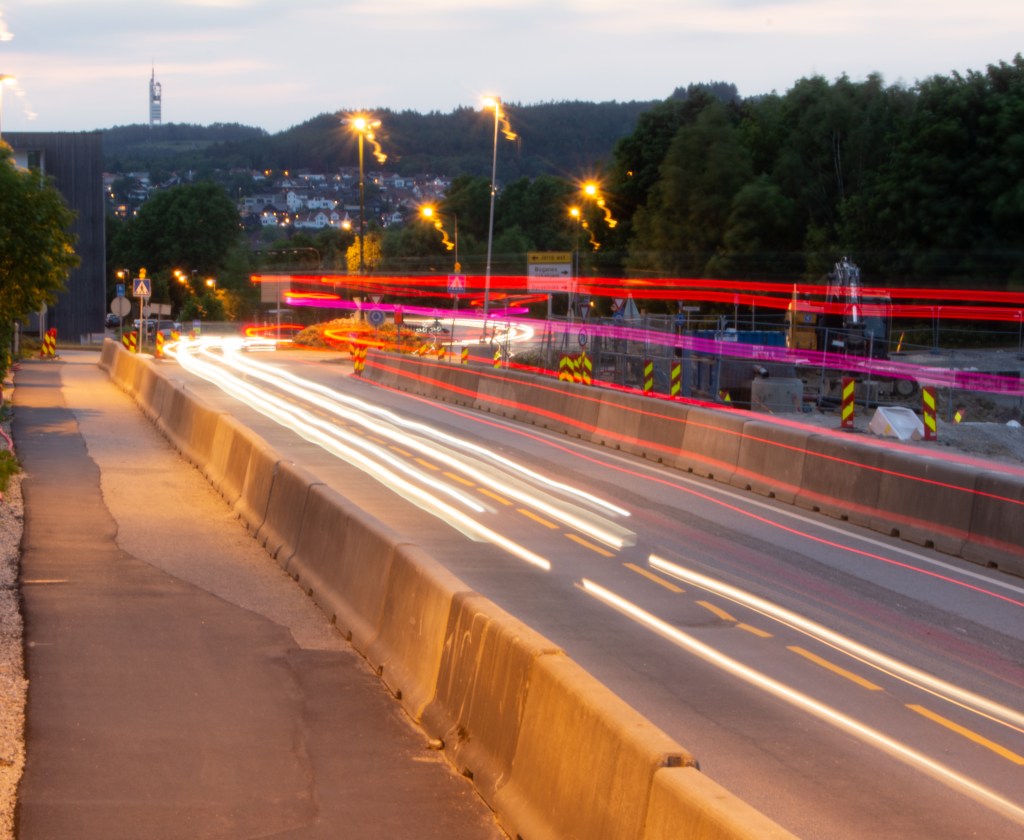
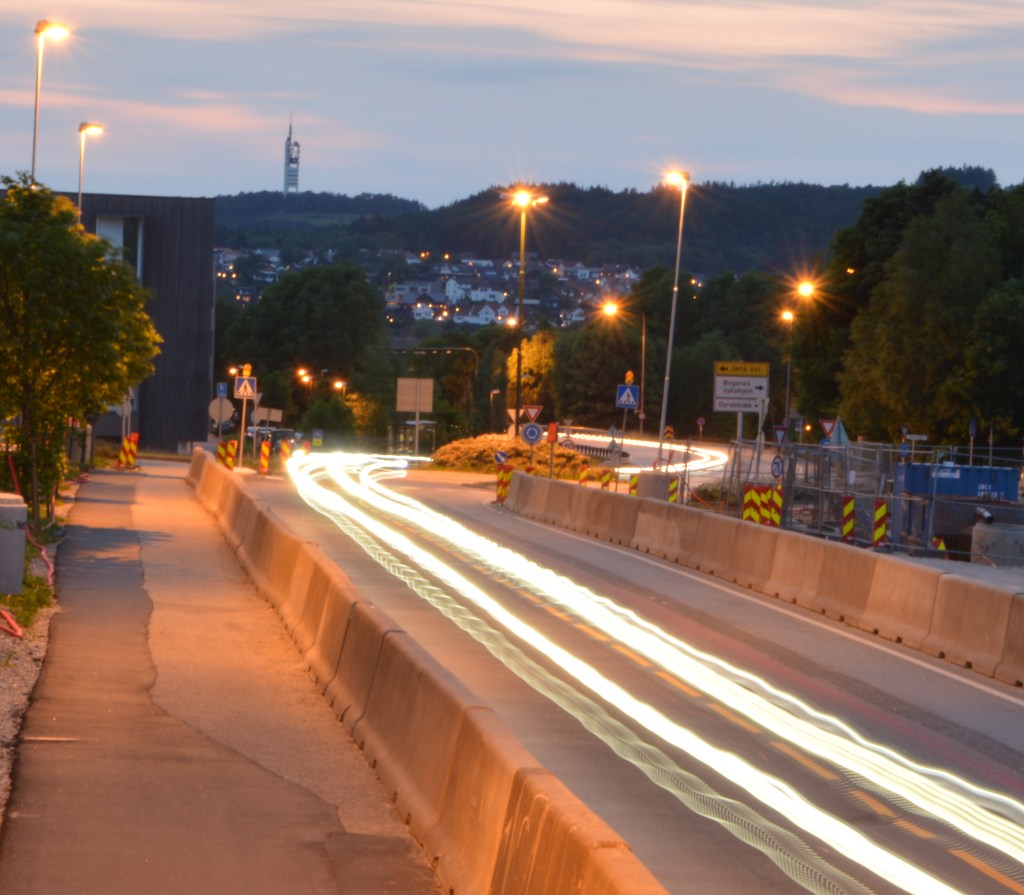
2 – Wait until it’s dark. Go and stand on a bridge over a busy street (or look from the window of a high-rise building). Place your camera on a tripod and set your shutter speed to 30 seconds or more. Inspect your photograph. What do you see?
(If there’s no bridge or high-rise building close to where you stay, find a street where there are some cars driving or alternatively ask a few people to help you by driving up and down your street. You can even pay an taxi/uber-driver. Ideally you should capture this from a bit higher than street level. You can ask a hotel in your area to use their window or the flat of a friend that stays on the second floor. Some buildings have a secret stairway to the roof… be creative, and safe!)
ISO 100 50 mm f/32 30 secISO 100 55 mm F/32 30 sec
I took this pictures from a side walk that is a bit higher than the street using a tripod. The cars and bus lights created lines as they drove away and towards the camera. In the second photo I used a timer, so there is no movement when I pressed the shutter. In the first photo I didn’t use a timer, so the street lamps “draw” some figures as the camera moved.
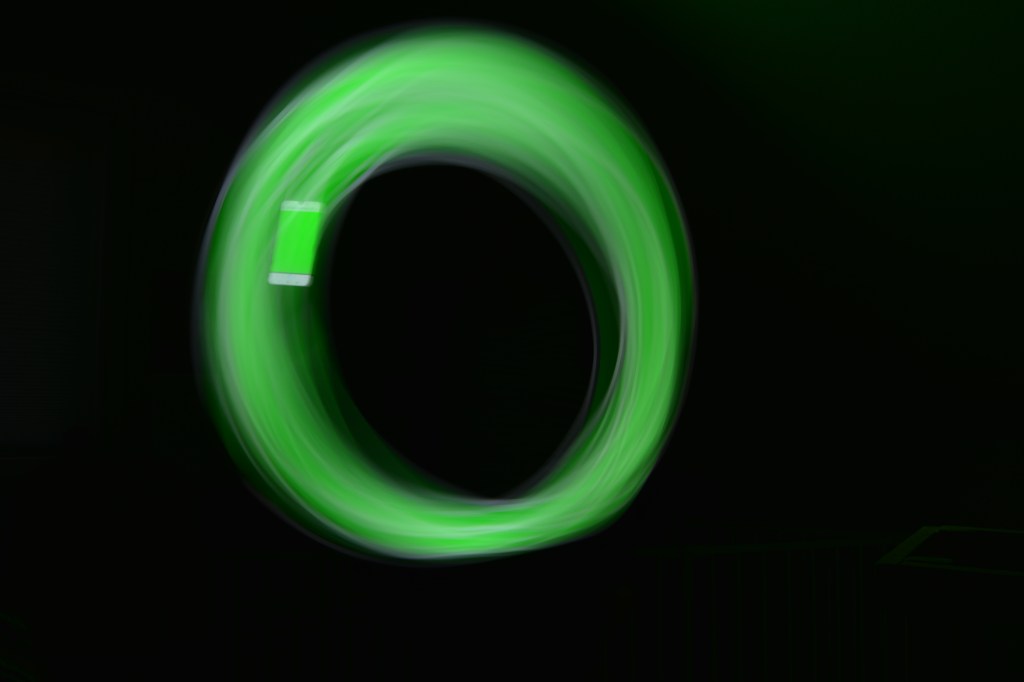
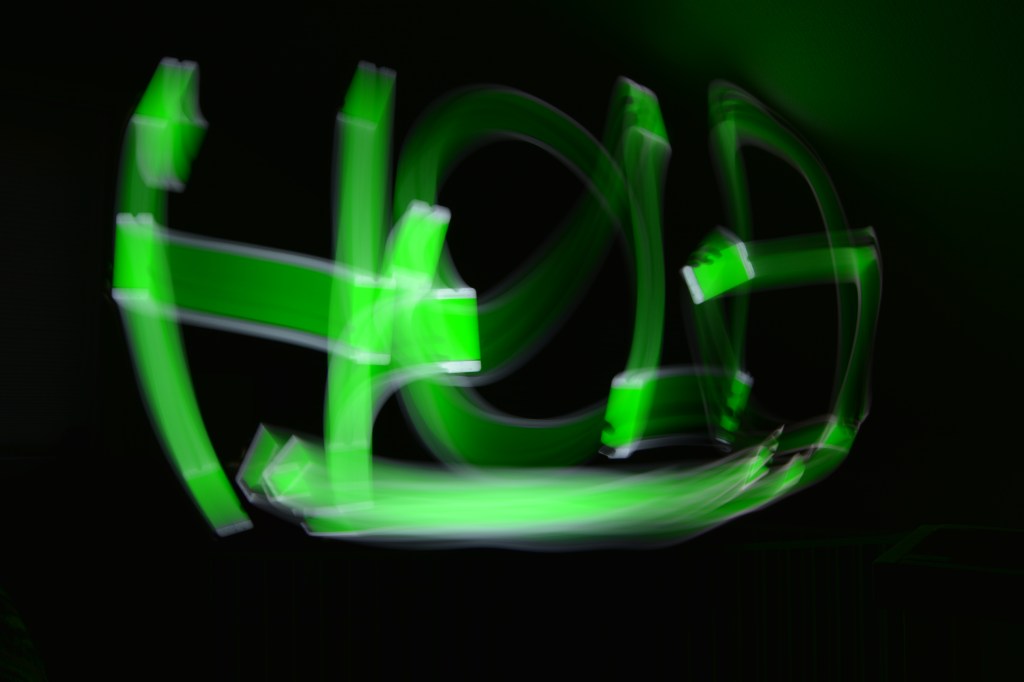
3 – Ask a friend to help you with this activity. Choose a dark room in your house and switch off the lights. Place your camera on a tripod and set your shutter speed to 30 seconds or more. Ask your friend to “draw” a picture in the air using a flashlight. Take a look at your photograph. What do you see? This fun activity is called light painting. Try an easy pattern first, but also a more complicated one.
ISO 100 18 mm f/14 30 sec ISO 100 18 mm f/14 30 sec
In this case I used a tripod and a timer, so I could move to the front of the camera. I used a green screen on my phone to draw the figures above. First, I tried a simple circle and in the second photo I wrote “HOLA” (hello in Spanish).
Question 1 – Written assignment (Research and analysis)
Draw up a list of the most important aspects of a product photograph. Refer to shadows, lighting, quality, ISO and editing in your answer. Mention at least five things.
1 – Lighthing: Good lighting is the most important aspect of product photography. We need to have full control over lighting the product. It should be soft, balanced and even.
2 – Shadows: As the lighting is diffused, the product’s shadows, if any, are soft.
3 – ISO: Should be kept at the lowest possible, ideally never higher than 100. The higher the ISO, the more noise.
4 – Quality: Product shots should be of a very good quality. It’s important to choose the highest resolution setting on the camera to get sharp photos.
5 – Editing: When the file format is Camera RAW the photos are easier to edit. The editing should be minimal, just to make small adjustments like cropping or removing the background, sharpening or adjusting the levels.
Question 2 – Practical assignment
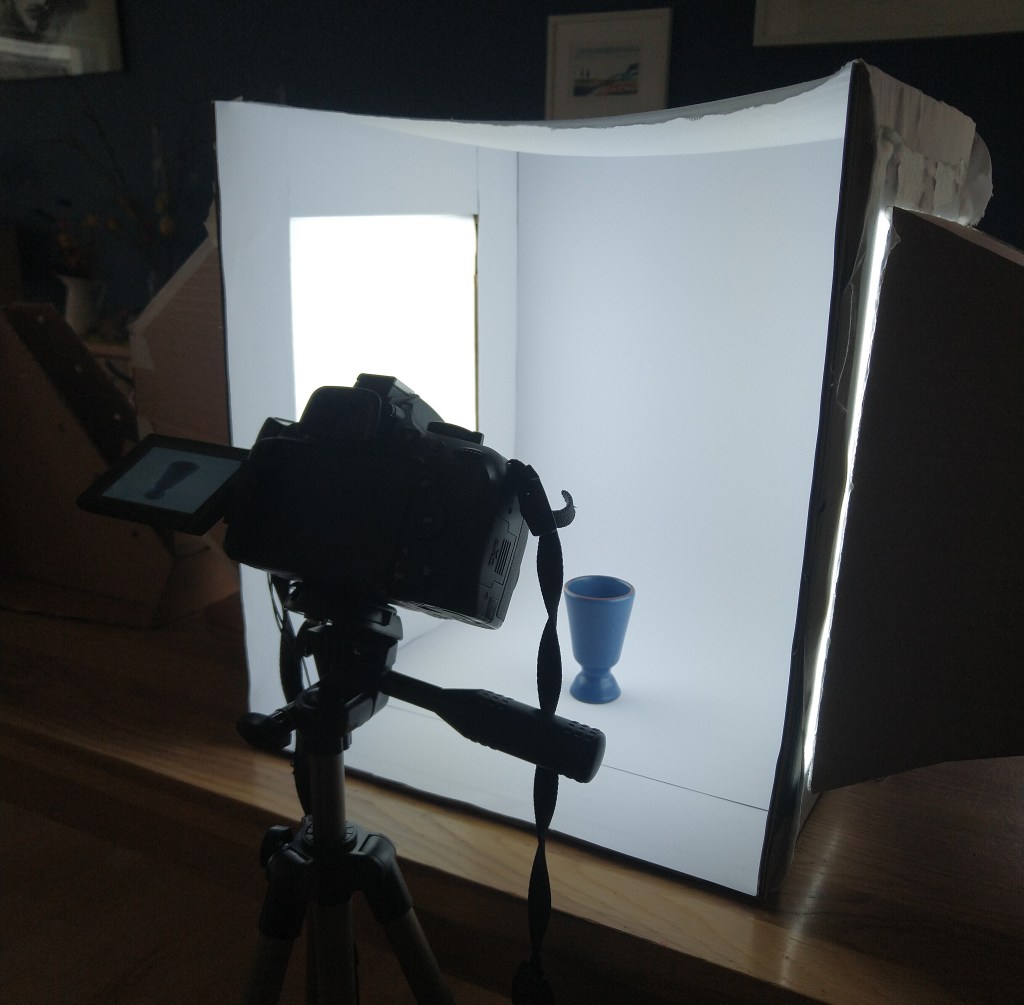
Make your own DIY light tent.
Take product photographs of the following objects:
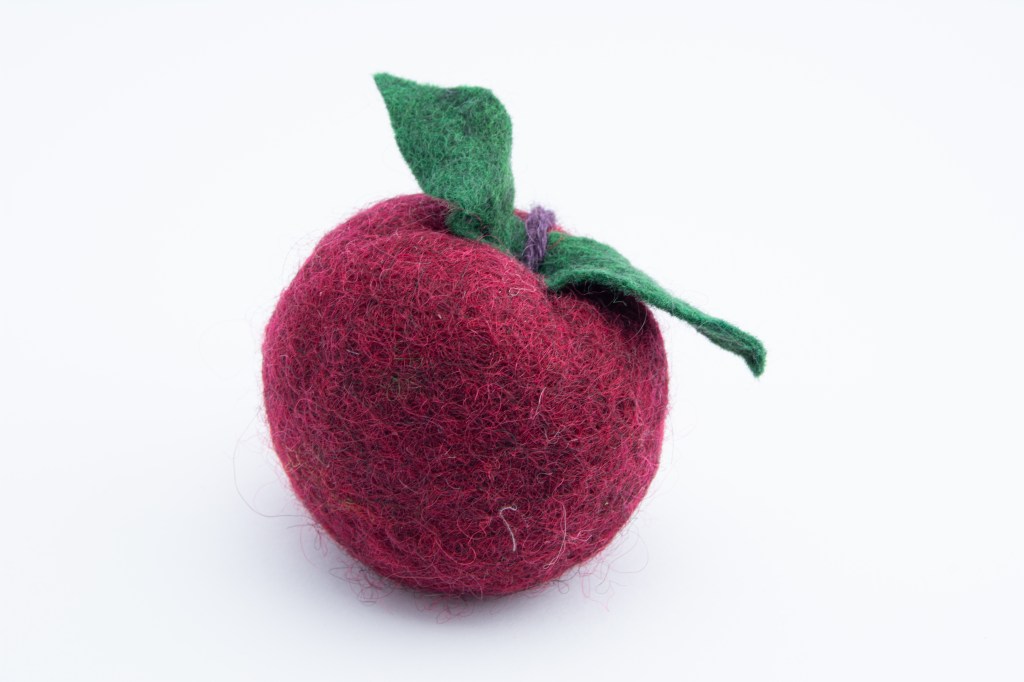
Something fluffy, like a stuffed animal
Something shiny, like a knife and fork
Something hard, like a book or a mug
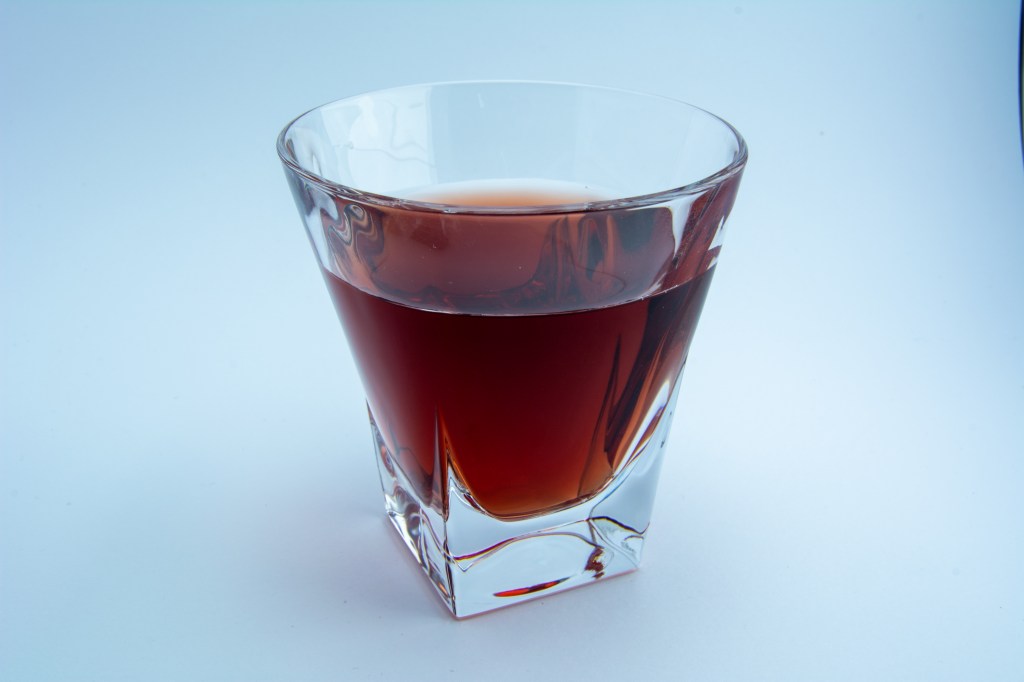
A liquid, like a glass of wine
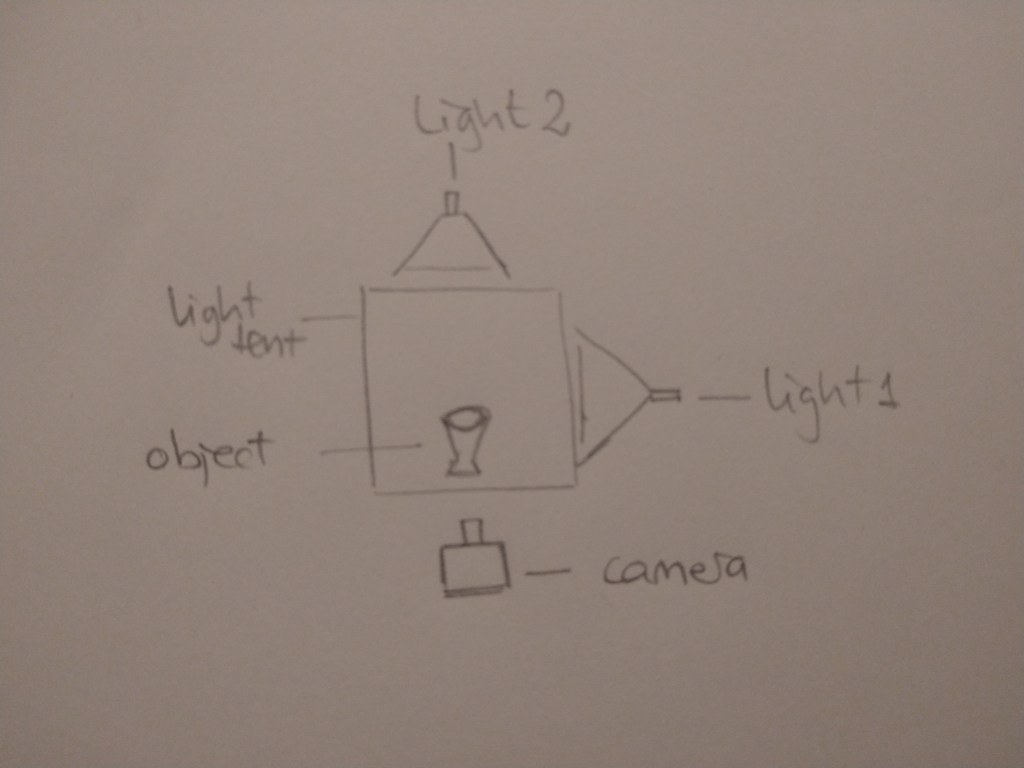
Draw a diagram of your lighting scenario for each of the above photographs and submit it along with the photographs.
Edit your photographs with the software of your choice. Write an accompanying paragraph for each of your photographs and explain what you did during the editing process.
This is the light tent I made for this assignment. I used the cardbox lamps I made for MA06 last semester.
1 – something fluffy
2 – something shiny
3 – something hard
4 – liquid
Lighting scenario for all of the pictures above:
I edited my RAW files in Lightroom. I adjusted the temperature, exposure, contrast, highlights, shadows, whites, blacks and texture until I thought the photos looked the best.
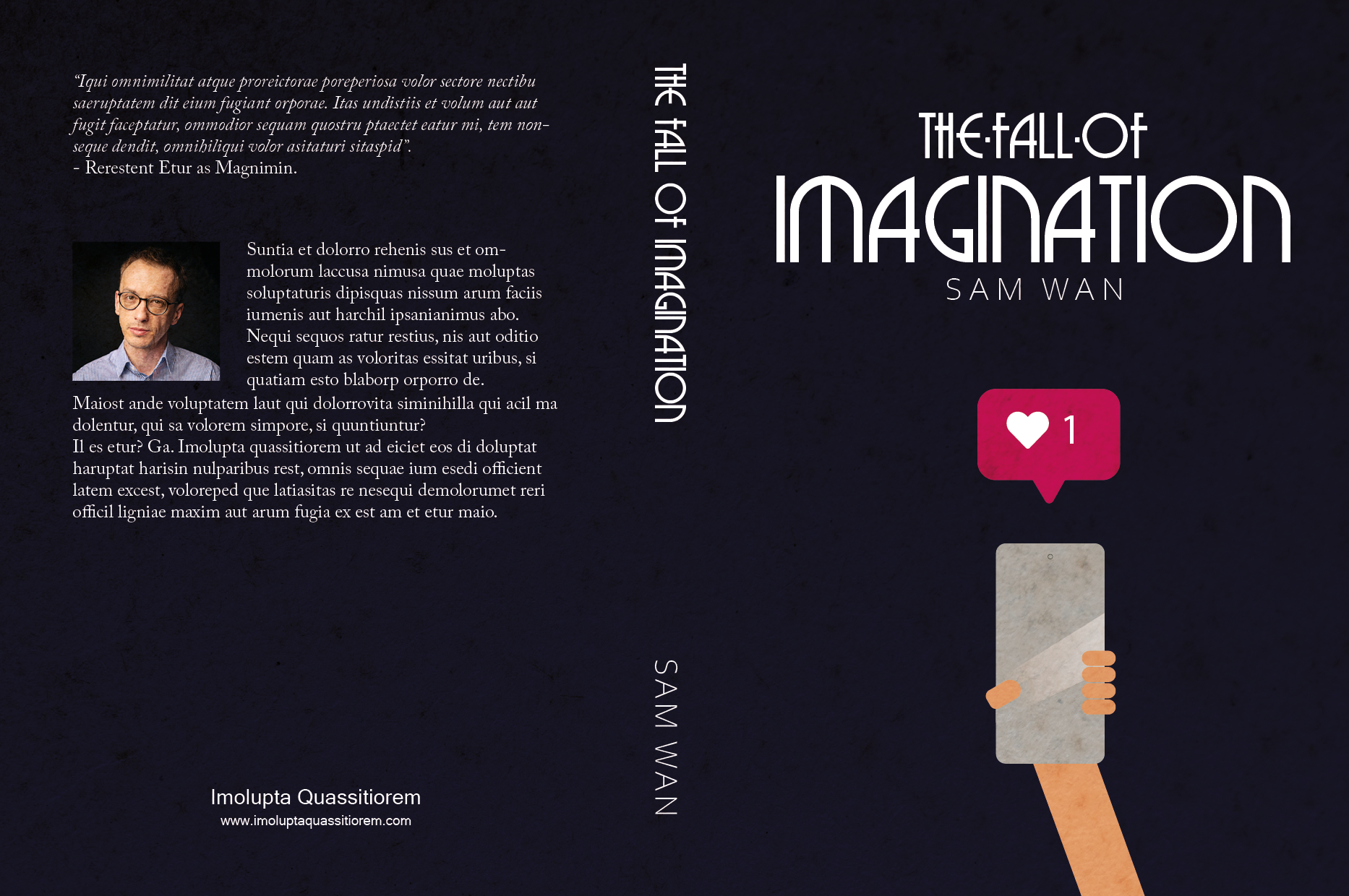
Design a book cover for a thriller book called “The Fall of Imagination” by Sam Wan. This book does not exist and is open to your interpretation as to the subject matter.
It must be designed by clearly drawing inspiration from a previous design style.
The size of the cover must be A5 and it should include a front, spine and back.
The cover must contain a simple vector illustration that forms the basis of the design.
The cover must contain the title and the name of the author.










 Mónica's Design Journey