Draw a diagram of your preferred workflow and explain why you take certain steps
Create a checklist for your workflow
Take a screenshot of your folder structure
Explain why creating backups are so important
Complete the Exercise Files from Photoshop 2021 Essential Training: The Basics by Julianne Kost
DIAGRAM
CHECKLIST
Set up the camera (format, white balance, ISO, mode…)
Delete bad shots after the photoshoot
Import photos to computer
Second back-up to external hard drive if necessary
Organise photos in folders
Review and pick best shots
Import to Lightroom and enhance photos
Save as JPEG (web) or TIFF/PDF (print)
Export photos to an external hard drive
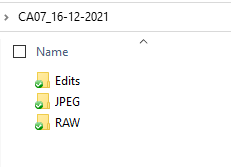
FOLDER STRUCTURE
My folder structure looks like this. I create a folder with the name of the photoshoot (in this case CA07, as it was for that assignment) followed by the date it took place, so I know right away when the pictures were taken. Inside that, I separate my photos per format and put them in a different subfolder. The edited photographs are exported to the Edits folder.
BACK-UPS
Backing up your photos is vital since digital data can be lost quite easily due to loss/theft of a camera, accidentally deleting images, corruption of cards, etc. It will prevent you from losing hours of hard work and, save you from the situation to have to tell your client that you have lost everything, especially if it is a one-time event such as a wedding. You should back your photographs up as soon as possible in at least 2 different locations.
Photoshop 2021 Essential Training: The Basics
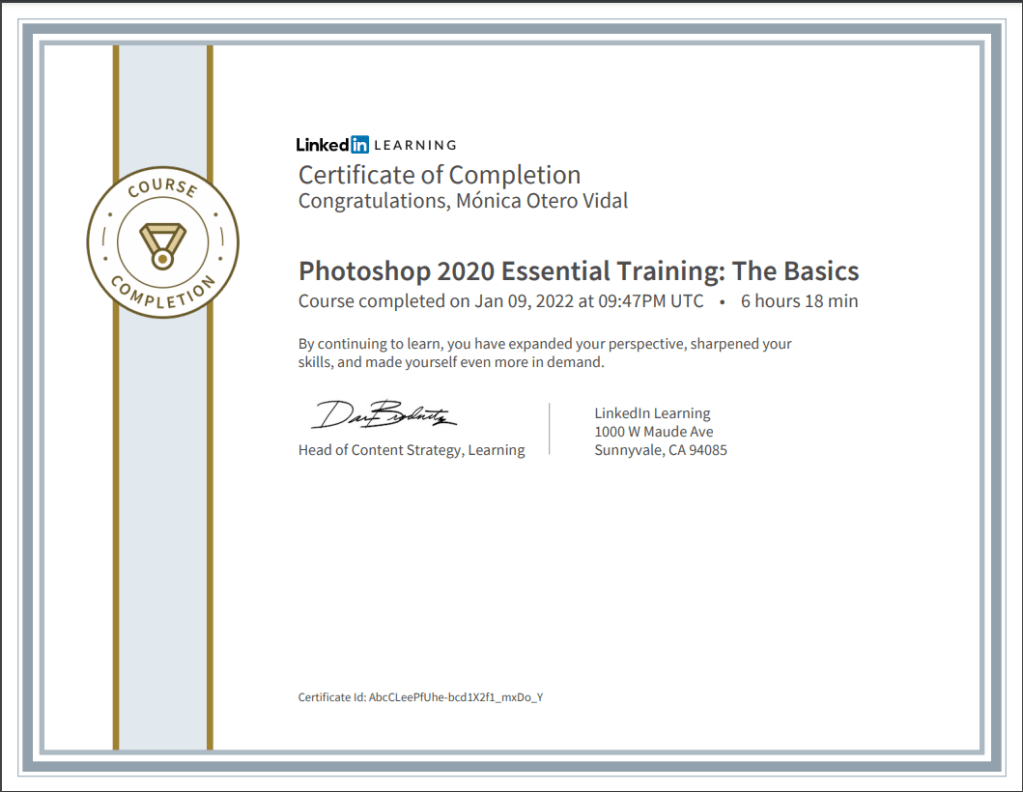
I had completed most of the 2020 version of the same tutorial during GRA1, so I rewatched what I felt needed refreshing and finished the unwatched videos. I compared the contents of both tutorials and they are almost identical. Here is the Certificate of Completion.
In your own words, describe the procedure of planning a fashion shoot. You don’t need to go into too much detail, a short outline will do.
The first thing to consider is the concept or theme of the photoshoot. This will affect all your other choices such as make-up, styling and location. The next step is to create one or multiple mood boards to collect your ideas and inspiration. Mood boards also help the client and the rest of the team to understand the concept you have in mind for the session. Then you create a storyboard: a few rough sketches showing the angle and the length that you will be shooting at. A storyboard is a critical tool for communicating your vision to the other members of your team. If you are going to shoot in a studio, you need to book it. If you are shooting outdoors, you need to find a location, take a few test shots and find interesting lines and textures that will enhance your pictures. Apply for permissions if necessary. A shortlist is a list that organises your day and helps you not to forget important details, and determines the equipment you will need on the day. Then, you need to choose a model who suits the brand and concept. Appoint a stylist, a hair and make-up artist.
What are the stylist’s duties?
A stylist will find suitable clothing and accessories, make sure that all the costumes arrive at the shoot on time and that everything fits and co-ordinate costume changes.
List your duties as photographer
One of the photographer’s duties is to book a studio and equipment if required and get the necessary permissions. Book the model and the crew: the make-up artist, hairstylist and your assistant. Provide food and water for the day, so hire a catering company for big shoots or send the assistant to buy some snacks if it’s a low-budget shoot. Music can sometimes help set the mood, so it’s a good idea to bring speakers to connect to your computer. Work out a detailed shoot day schedule and send it to the team in advance. The photographer must be able to direct the model to get the best look or pose. Finally, keep the crew informed of the schedule and gently push them to finish their tasks on time. It’s the photographer’s responsibility to keep the shoot progressing in an orderly manner.
What equipment would you take along on the Alice in Wonderland shoot that was featured in this module?
Wide angle, macro and 50 mm lenses Camera body Memory cards Battery chargers Extra battery Extra camera Light set Diffuse boxes Flash Reflector
Find an editorial fashion spread in a fashion magazine. Explain what you think the concept was, what equipment they used and how the location affected the concept. Scan or photograph the shoot and hand it in along with your answer.
This is a spread I found on the Internet. The concept is elegant, sensual and glamourous. The B&W photo, the model pose, her air-brushed skin and flawless make-up, and the big jewellery add to the theme. The photo seems to be taken indoors, although it is not clear where, it could be in a studio. The shot shows the model leaning against the wall. Her face and body are lightened (possibly using a soft box) while her dark hair blends with the black background.
Question 2 – Practical assignment
Watch the tutorial on LinkedIn Learning Douglas Kirkland on Photography: Editorial Assignment
Plan a Snow White themed fashion shoot
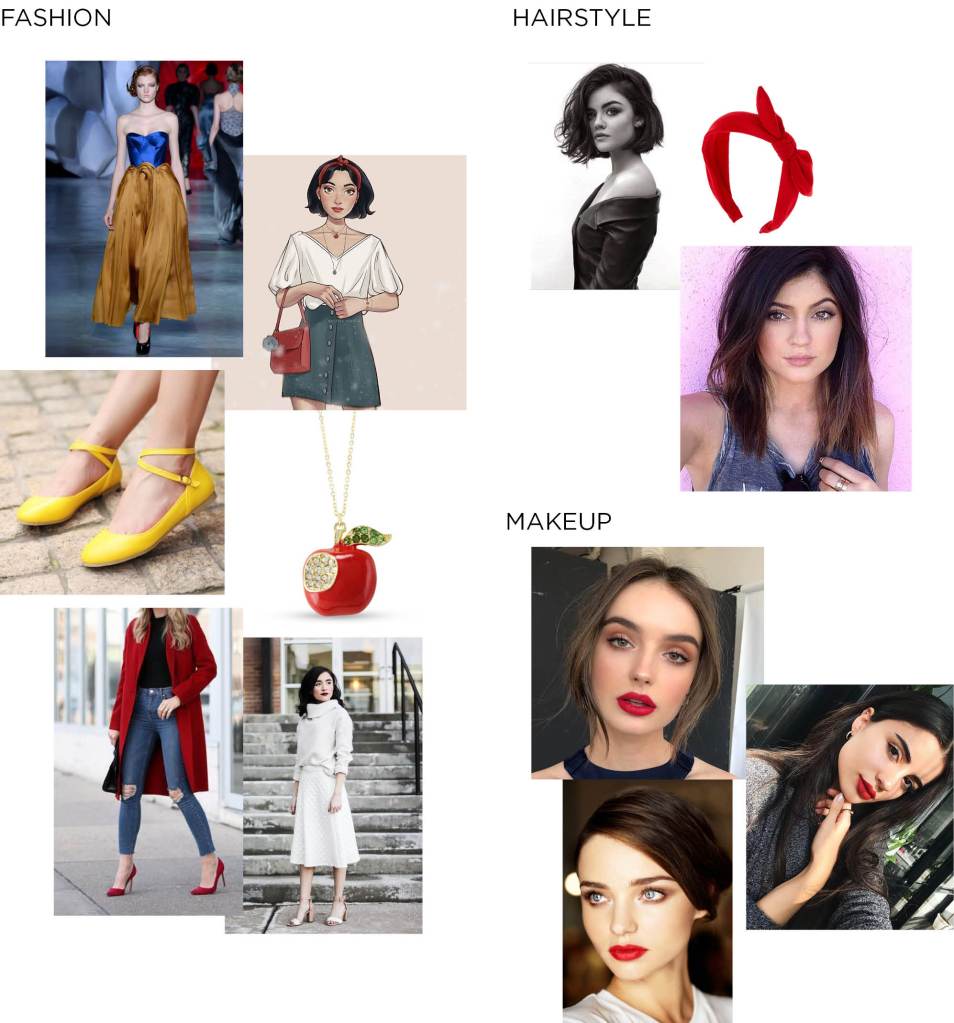
Create a mood board for hair, make-up and fashion
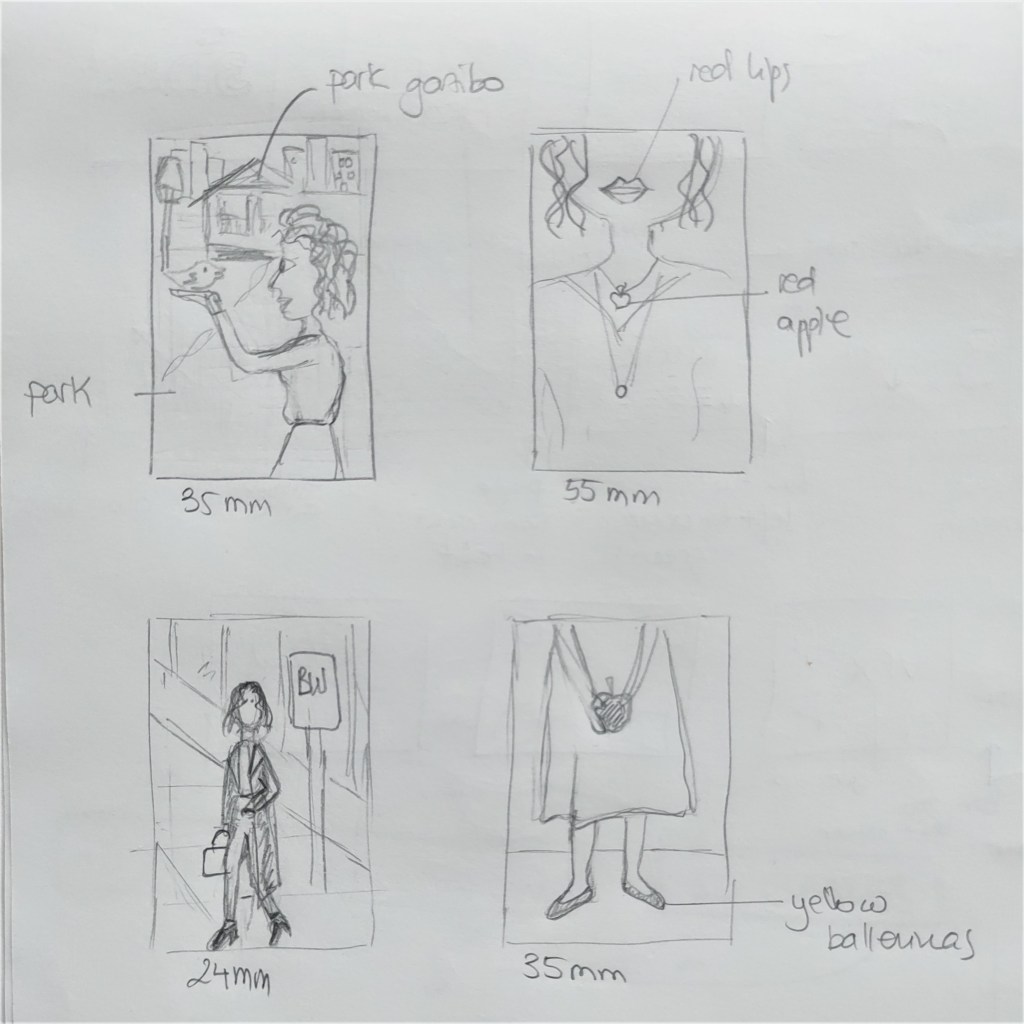
Create a storyboard
Create a shot list
Create a timeline for the shoot day
The concept for this photoshoot is a modern, urban Snow White. I searched for ideas online and created the mood board below, where I collected inspiration and examples on fashion, hairstyle and makeup. After that, I sketched a storyboard with four different photo ideas and made a shotlist and timeline. If this were an actual shoot, I would also book the model and the rest of the crew. I’d ask for permission to shoot to the Stavanger municipality and rent the equipment necessary for the session that I don’t own. I’d send the timeline to the crew and make sure everything is ready for the shoot day.



 Mónica's Design Journey